
Download PDFMarkz – Advanced PDF Converter, Preview & Workflow Automation Tool
PDFMarkz is a next‑generation, freemium graphic‑design program that puts you in full control of your PDF workflow. Whether you are a seasoned designer, a pre‑press specialist, or a content creator who needs crisp previews and reliable conversion, PDFMarkz offers a seamless bridge between static PDFs and editable layouts in industry‑standard applications such as Adobe InDesign, QuarkXPress, and Affinity Publisher. The tool not only delivers high‑resolution, zoomable previews but also automates the export‑to‑edit process, supporting formats like IDML, TIFF, PNG, JPEG, and GIF.
With built‑in automation preferences, AppleScript support, and a custom URL scheme, PDFMarkz integrates effortlessly into both manual and scripted pipelines, allowing you to focus on design rather than file juggling. While the software shines in speed, accuracy, and integration, it does have a few limitations—most notably the lack of direct AI file saving and limited control over text‑box processing. Overall, PDFMarkz stands out as a robust, secure, and user‑friendly solution for anyone looking to download, preview, and convert PDFs with professional precision.
Key Features that Make PDFMarkz a Must‑Have Design Companion
- Direct Open in Editing Apps: One‑click opening of PDFs in Adobe InDesign, QuarkXPress, Affinity Publisher, and other predefined programs.
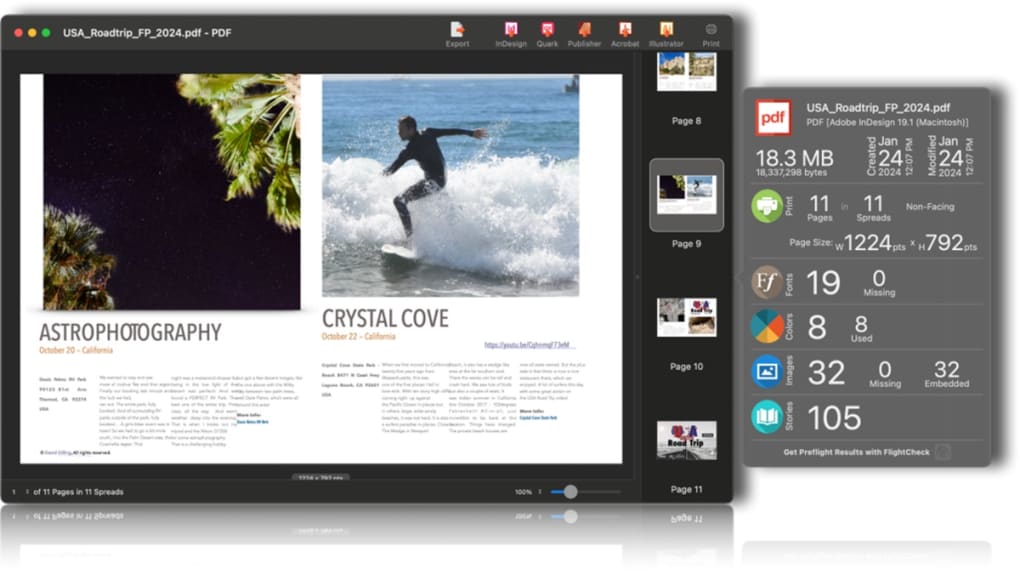
- High‑Resolution Zoomable Previews: Crisp, true‑to‑scale document previews that let you inspect typography, images, and layout details before conversion.
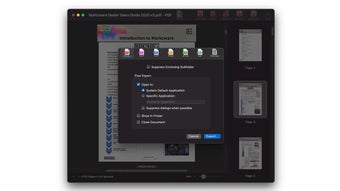
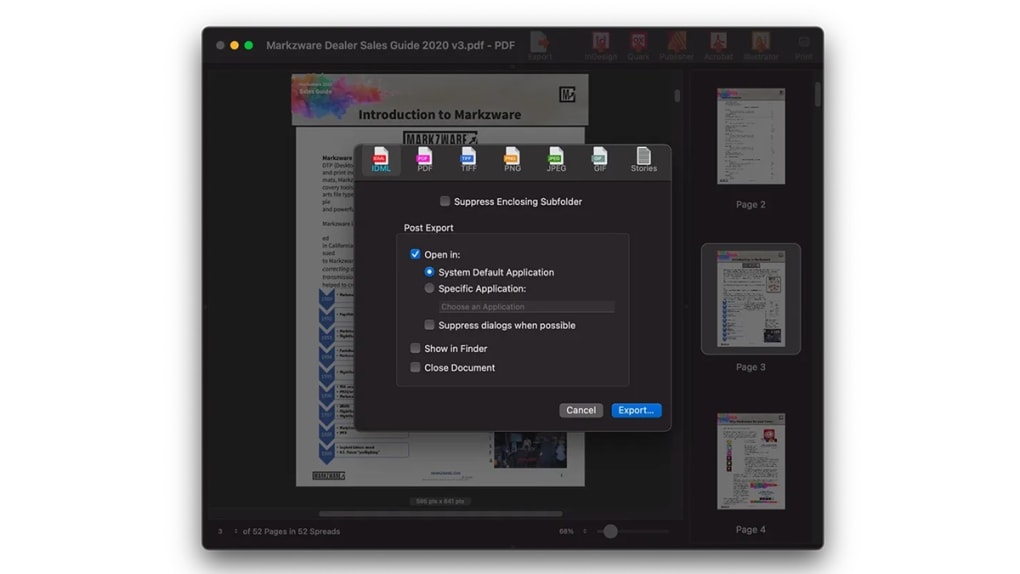
- Multi‑Format Export: Convert PDFs to IDML, TIFF, PNG, JPEG, GIF, as well as export styled text to RTF, HTML, or plain text while preserving formatting.
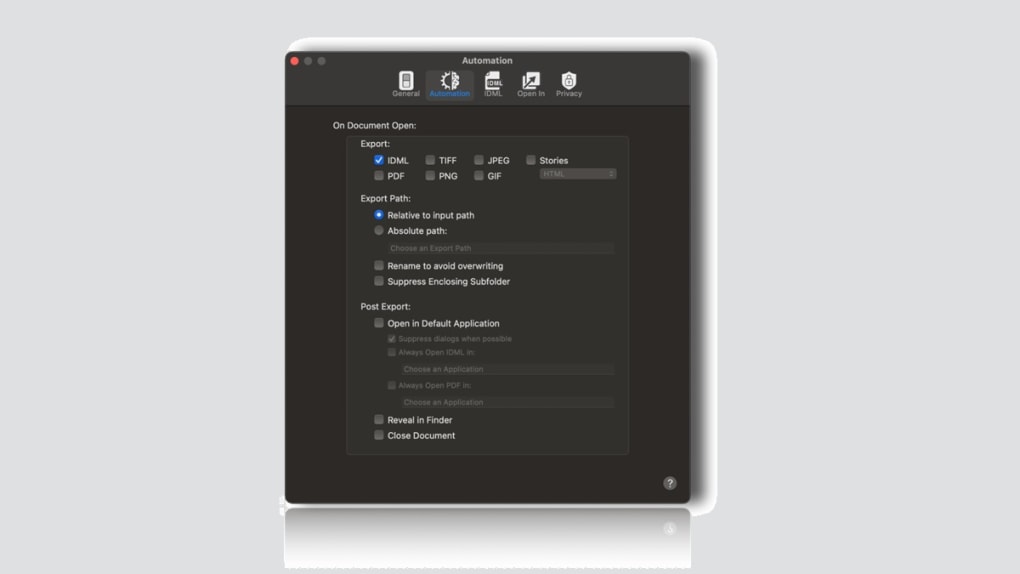
- Automation Preferences: Set up automatic export and opening rules, integrate with AppleScript, and use a custom URL scheme for scripted workflows.
- Document Inspector: Instant summary of file type, version, size, creation/modification dates, page count, spread count, page dimensions, fonts, colors, and image data.
- Freemium Model: A free tier that covers basic preview and conversion, with an affordable Pro upgrade for advanced automation and batch processing.
- Secure Processing: All conversions happen locally; no cloud upload ensures confidential design files stay on your machine.
- Cross‑Application Compatibility: Supports workflow hand‑offs between major layout tools, reducing the need for manual re‑creation of assets.
Step‑by‑Step Installation & Usage Guide for Windows and macOS
Getting started with PDFMarkz is straightforward, whether you run Windows 10/11 or macOS 10.15+. First, visit the official PDFMarkz website and click the “Download Free” button. The installer is a compact .exe (Windows) or .dmg (macOS) package that performs a standard silent install—no hidden fees or bundled software. Once the download finishes, run the installer and follow the on‑screen prompts: accept the license agreement, choose the destination folder (the default works for most users), and let the wizard copy files.
After installation, launch PDFMarkz from the Start Menu (Windows) or the Applications folder (macOS). The first launch presents a clean dashboard where you can drag‑and‑drop PDF files or use the “Add File” button. To preview a document, simply select it; the preview pane renders a high‑resolution view that you can zoom, pan, and inspect. When you’re ready to edit, click the “Open In” dropdown and choose your preferred layout program. PDFMarkz will automatically export the PDF to the appropriate editable format (e.g., IDML for InDesign) and launch the target application with the converted file ready for editing.
For power users, the “Automation Preferences” panel is where you can define rules such as “Export all incoming PDFs to IDML and open in InDesign automatically.” You can also enable AppleScript hooks on macOS to trigger custom scripts after conversion, or use the custom URL scheme (pdfmarkz://) to invoke the tool from other apps or terminal commands. The free version allows up to five automated rules, while the Pro upgrade lifts this limit and adds batch processing. Finally, remember to check for updates regularly—PDFMarkz’s built‑in updater notifies you of security patches and new format support, ensuring a secure and future‑proof workflow.
Compatibility, Pros & Cons, and System Requirements
Operating System Support
PDFMarkz runs natively on Windows 10, Windows 11, and macOS 10.15 (Catalina) or later. The application is optimized for 64‑bit environments and leverages native graphics APIs for fast rendering. While a Linux version is not officially offered, the software can run through compatibility layers such as Wine, though performance may vary.
Pros
- Seamless one‑click opening of PDFs in major layout programs reduces manual file handling.
- High‑quality, zoomable previews give designers confidence before conversion.
- Supports a wide range of export formats, including IDML for InDesign and styled text for RTF/HTML.
- Automation preferences and AppleScript support enable powerful, repeatable workflows.
- Freemium pricing lets users evaluate core features without upfront cost.
- Local processing keeps confidential design files secure.
Cons
- No direct option to control how individual text boxes are processed during conversion.
- AI (Adobe Illustrator) files cannot be saved directly; they must be recreated in InDesign after export.
- Batch processing is limited to the Pro version, which may be a barrier for small studios on a tight budget.
- Linux users must rely on compatibility layers, which can introduce instability.
Frequently Asked Questions
Can PDFMarkz convert PDFs to editable InDesign files for free?
Yes. The free tier allows you to open a PDF directly in InDesign by exporting it to IDML format. However, batch conversion and advanced automation are reserved for the paid Pro license.
Is PDFMarkz compatible with the latest version of QuarkXPress?
Absolutely. PDFMarkz maintains compatibility with QuarkXPress 2024 and newer releases, allowing you to export PDFs as QuarkXPress‑ready files while preserving styled text and layout information.
How does the Automation Preferences feature work?
Automation Preferences let you define rules such as “When a PDF is added, export to IDML and launch InDesign automatically.” You can also attach AppleScript actions or custom URL calls to trigger additional steps, making repetitive tasks virtually hands‑free.
Does PDFMarkz store any of my files in the cloud?
No. All conversion and preview operations happen locally on your computer, ensuring that proprietary designs and confidential PDFs never leave your device.
What are the system requirements for the Pro version?
The Pro version requires a 64‑bit processor, at least 8 GB of RAM, and 200 MB of free disk space. For optimal performance with large documents, 16 GB of RAM is recommended.
Final Verdict & Call to Action
PDFMarkz delivers a polished, secure, and highly functional PDF conversion experience that fits neatly into modern design pipelines. Its ability to preview PDFs with pixel‑perfect accuracy, combined with one‑click export to InDesign, QuarkXPress, or Affinity Publisher, dramatically reduces the time spent on file preparation. Automation preferences and AppleScript integration further elevate the tool for studios that rely on repeatable workflows. While the lack of direct AI file saving and limited text‑box control are notable gaps, they do not outweigh the overall value, especially given the generous free tier.
If you’re looking for a reliable, fast, and secure way to download, preview, and convert PDFs without sacrificing design integrity, PDFMarkz is a top contender. Download PDFMarkz today, try the free version, and consider upgrading to Pro when you need batch automation and advanced export options.







